
274: MCPs in Claude: How 6 Founders Are Actually Automating Their Businesses
Most conversations about AI automation stay theoretical. This one didn't.
I sat down with five founders from my peer mastermind, a group we call the Weird Hermits, to talk about MCPs in Claude. You might know them by their other name: connectors. They're what let Claude plug straight into the tools you already pay for. Kit. Airtable. Meta Ads. Shopify. Even your grocery delivery. Instead of copying data back and forth, you ask, and Claude goes and does the work.
We went around the room and shared exactly what each of us has running right now, and what it replaced. Some of it saved hours. Some of it replaced software we used to pay hundreds of dollars a month for.
In this episode
- What an MCP actually is, explained in plain language
- How the Kit connector surfaces subscriber data you couldn't see before
- The drop-a-CSV-and-walk-away membership dashboard workflow
- Live artifacts that pull fresh data every time you open them
- Reading Meta ad performance without ever opening Ads Manager
- Skills and scheduled tasks that run content, support, and reporting on autopilot
- The personal automations we probably shouldn't admit to: banking, meal plans, and groceries
An MCP is a two-way connection. You can ask it to go do something in another tool, and pull information back, all in the same conversation.
Why This Matters for Your Business
Here's the thing. Most of us were never the most technical person in the room. A few years ago, the extent of our automating was whatever we could piece together in Zapier.
What changed is that connectors made this stuff easy to access. You don't need to be a developer. You can speak your process out loud, let Claude organize it, and have it find the right connectors for you.
That shift is the real story. The busywork that used to sit on your shoulders, the reporting, the customer support drafts, the weekly content, can now run in the background. That frees you up to do the part only you can do, which is the strategy and the creative work.
Free Gifts from the Weird Hermits
Each of us built something free and practical for you. Grab the one that's most useful right now. You don't have to take them all.
Dr. Destini Copp is an entrepreneur, MBA professor, and digital product strategist behind Creator's MBA and HobbyScool, two brands she runs at the same time using deeply integrated AI workflows. At Creator's MBA, she helps digital creators build scalable, recurring revenue systems without the chaos of constant launching.
A free diagnostic that shows you exactly where your digital product business is strong and where it's leaking revenue. In under five minutes you'll get a personalized score across the five stages of the Creator Growth Flywheel, so you know what to fix first.
Take the scorecard →Monica Froese is a digital product strategist and AI educator helping entrepreneurs scale with digital products and e-commerce shops. She founded Empowered Business and the Empowered Shop, and hosts the Empowered Business Podcast.
Join Monica's free community for creators who are building revenue systems powered by AI. Get the trainings, prompts, and support to put AI to work in your business.
Join the Collective →Jodi Bourne is a business strategist and founder of Bourne Strategic AI. She helps coaches, consultants, and online business owners use AI strategically to get found, get visible, and grow.
Not sure why, or if, Perplexity, ChatGPT, or Claude isn't finding you? This free two-minute quiz identifies your single highest-leverage move to increase your visibility in AI-powered search. Answer 10 questions, get a personalized priority plan.
Take the quiz →Ruth Poundwhite is a visibility, sales, and mindset coach who has helped over 9,000 online business owners work through self-doubt and increase their sales in a way that honors their energy, values, and personality.
For low-capacity business owners who are done spending energy they don't have. Four prompts that cut the cognitive load of selling, a brain dump template to turn messy thoughts into polished sales content, and a 15-minute AI audit to find what to take off your plate today.
Get the AI Sales Kit →Kate Kordsmeier quit social media in 2021 and her revenue grew 165%. She's a certified business coach with 15 years in online entrepreneurship, including building and selling a multiple-six-figure blog without ever going viral. Today she helps coaches and creators build high-profit, low-maintenance businesses without social media, a huge team, or burnout.
Enter your niche, pick your Flywheel stage, and get 10 ready-to-use Claude prompts custom-built for your business, no social media required.
Get the prompts →With nearly two decades of experience, Steph Blake helps entrepreneurs simplify and automate their businesses so they can run them in less than 20 hours per week.
The exact Claude setups, prompts, and workflows Steph uses every week to run multiple brands in less than 20 hours per week, so you can copy them and make them yours.
Steal the workflows →Liz Stapleton is the founder of Creator Ops Hub, where she helps creators streamline their workflows through AI, automation, and smart backend systems. With a background in law and years of building digital businesses, she specializes in practical AI workflows that save time and reduce overwhelm.
A fast, beginner-friendly checklist that exposes the repetitive tasks draining your time, and shows which ones AI can handle immediately.
Get the audit →Tools and Connectors Mentioned
Claude, Kit, Airtable, Fathom, Meta Ads, Shopify, ThriveCart, HTMLPub, Descript, Canva, Gamma, ClickUp, Codex, Lovable, and Instacart.
Not sure where to automate first? Start here.
Take the free scorecard →Frequently asked.
What is an MCP in Claude?
An MCP is an open standard from Anthropic that lets Claude securely connect to outside tools and data, like your email platform, spreadsheets, or ad account. It works like a two-way conversation: you can ask Claude to do something in another tool and pull information back, all in one chat.
Are MCPs and connectors the same thing?
Yes. Connector is the everyday name for an MCP inside Claude. When you turn on a connector for a tool like Kit or Airtable, you are using an MCP.
Which Claude connectors are most useful for online business owners?
The founders in this episode pointed to Kit for email and subscriber data, Airtable as a single source of truth, Fathom for call transcripts, and the Meta Ads connector for ad reporting. Shopify, Gmail, and HTMLPub came up often too.
Can I connect more than one Kit account to Claude?
Right now Claude connects one Kit account at a time, so you have to disconnect and reconnect to switch. A common workaround is to connect your second account through a different tool, like ChatGPT or Zapier, and pull that data in separately.
Do I need to be technical to use MCPs?
No. One tip that came up was to voice record your whole process out loud, then let Claude organize it into steps and find the right connectors. You do not need to know how to code to get value from this.
Episode transcript.
Destini: Hi there, and welcome back to the Creator's MBA podcast. I'm Dr. Destini Copp. Today's episode is a little different. I sat down with my peer mastermind, a group we call the Weird Hermits, for a roundtable that's all about MCPs in Claude. And if you haven't heard that term yet, MCPs are also called connectors. They're what let your AI plug into the tools you already use, like Kit, Airtable, your ad account, your calendar, and even your grocery delivery. We get into exactly how each of us is using them right now to automate the work that used to eat up our days: email analysis, ad reporting, customer support, full content workflows. A few of these examples honestly blew my mind. This is six women running real businesses, sharing what's actually working, not just theory. So grab a coffee, take some notes, and let's get right into it.
Monica: Okay, welcome everyone to another roundtable with my friends in my peer mastermind called the Weird Hermits. This is a group of 11 of us. There are six of us here right now, and we're here to talk about MCPs in Claude, also known as connectors. They let us automate a lot of our workflows, and that's what we're going to talk about today. Before we kick it off, I want to go around the room and have everyone introduce themselves. So I'll call on you first, Destini.
Destini: Hi, my name is Destini Copp, and I run two brands. One is my B2C brand called HobbyScool, and then I have my personal brand, my destinicopp.com brand, which is the Creator's MBA, where I help digital product entrepreneurs get consistent revenue in their business.
Steph: Hi, everyone. I'm Steph Blake. I also have multiple brands. I won't share all of them with you, because we'll be here all day. But what I do in my B2B business is really focus on helping entrepreneurs simplify and automate their businesses so they can work 20 hours per week or less. And I also created a tool called BlockBuilder, which you've probably heard about by now as well.
Ruth: Hi, everyone. I'm Ruth Poundwhite, and I support business owners with their soulful sales and aligned AI, to help you sell and use AI in a way that supports your capacity, your values, and your personality.
Liz: I'm Liz Stapleton. I run two B2B brands. The first is elizabethstapleton.com, where I use my background as an attorney to help online entrepreneurs understand the legal side of running an online business. And then over at Creator Ops Hub, I help creators systemize, organize, and scale with automations and systems that keep their life in check so they're not stressing and digging around everywhere.
Jodi: I'm Jodi Bourne, and I have two B2B businesses as well. One is, I help hosts of vacation rentals, glamping resorts, and boutique hotels elevate their brand and get more bookings. And through that, I started Bourne Strategic AI Solutions, where I help people build out custom skill builds, typically around getting found by AI, but all sorts of skill builds, blogging and all of that.
Monica: And I'm Monica Froese, and going along with our theme here, I also have two brands. My B2B brand is Empowered Business, where I help content creators create high-converting digital products and start their e-commerce shops on Shopify. And my B2C brand is Redefining Mom, where I'm now helping moms get started with AI.
Monica: Okay, so to kick it off, I want to preface this by saying everyone in this room was at various levels of automation before AI really became a thing, and definitely before automations became accessible through AI. I'll be the first to say I hadn't automated very much. The extent of my automating was what I could figure out in Zapier. And it really wasn't helping me save time. Maybe a little, but nothing was really automated. A lot of my data was useless to me, because even though I love spreadsheets, I had to manually update everything, so I was definitely behind. In this room we have Liz and Steph, who are probably automating more than most of us. And now I feel like AI has put us on a pretty even playing field with what we can access, in a way that's easy to understand. Would you all agree with me?
Group: Yeah. Yeah. Yeah.
Monica: Okay. So let's start by defining what an MCP is. I think the easiest way to do this is to just read the definition, because otherwise we might botch it. An MCP is an open standard created by Anthropic, which created Claude.ai, and it allows AI assistants to securely connect to external tools, databases, and data sources. It eliminates the need for custom integrations, letting AI systems easily plug into various systems to read, run code, or retrieve real-time context. And what I think is really important is that an MCP is like a two-way conversation. You can ask the MCP tool to go out and do things for you in these external tools, and also bring information back to you, which is really cool. So where I'd like to start is to go around the room and talk about what MCPs you're using in your business right now. I feel like a new one's rolling out every single day. What are you using right now that's the most impactful? Who wants to go first?
Steph: I use a lot of different connectors in my Claude account. I use Claude for everything, with the exception of image generation. I use ChatGPT for that, because it's so good. So if you haven't created images in ChatGPT lately, go use that. But for my Claude connectors specifically, the ones that save me the most time are Airtable, Fathom, Gmail, and now very recently Kit, as of a couple of days ago, and then also, as of yesterday, the Meta Ads connector. And I think everybody here is on Kit for their email, right? I can say for everybody in the room that Kit has been one of the most impactful connectors for our businesses, because it gives us so much data from our emails. I don't know about you guys, but I was just not looking at it before. I had an Airtable spreadsheet, but I had a team member go in and manually update it, and half the time the data wasn't correct. So that's probably been my favorite one. That and Airtable. I use a lot of them together, but Kit and Airtable are my favorites.
Monica: What I find interesting about the Kit MCP is that it uncovers data that wasn't accessible in our accounts. There really was no way to see that, and it also identifies patterns. A very simplistic way I used it, and somebody in the group made me think of this, I think it might've been Ruth: the other day I went in and said, "Hey, out of my community members." So I have a paid community called the Empowered Business Society, there are 119, 120 people in there. I wanted to know the commonalities. How long have they been on my list? What else have they purchased from me? What's their lifetime value? There was really no way for me to look at that holistically. I've sold 500 different products over the years to people on my list, and it bucketized it, and it made it look pretty. Then it helps me understand the types of people buying into these programs, so I can message my warmer people a little differently and bucketize them differently.
Steph: I also want to quickly give a shout-out to Destini, because she put together a great blog post on how to create a dashboard from Kit. It was on my list, and then she shared it, and I was like, "Oh my gosh, I'm just copying everything Destini said," because it was great. So Monica, we should link to that as well.
Monica: We should. And a tip: when we link to it, I actually took that article, put it into my cohort, and asked it to analyze what Destini was doing. It built me a dashboard based on her blog post, and voila, now I have it. And actually, Destini, do you want to talk about what your dashboard does, and also maybe what live artifacts are? Because I feel like it fits in here.
Destini: Yeah. So when I got access to the Kit MCP, I just started playing around with it. I had it connect, and Monica, just so you know, I took the transcript from our last Weird Hermits call last week, where I specifically asked you, because you were in that beta trial with Kit. I said, "I'm about to start playing around with the Kit MCP tomorrow. Where should I start?" And literally everything you said in that transcript, I put into Claude and said, "I now have access. Help me analyze this and build all of this out." So that's basically where that dashboard came from. It went into my account and started pulling everything, really digging into the broadcasts and what was going on with my subscribers. It gave me such a wealth of information, and it gave me some areas I really needed to look at.
Destini: Here's a specific one. In my Kit, on both of my accounts, I have a pretty strong, aggressive cold subscriber sequence. People come in, and if they're not engaging, it basically kicks them out. And what I realized after looking at that data was that I was probably being more aggressive than I needed to be. So it helped me go in and adjust how aggressive I'm being there. I'm anxious to give that some time, like six months, and then go back and analyze it. The other thing I did, which came out of that transcript, was set up a Monday report that goes back and analyzes everything that happened the week before in my brands and my emails, basically saying, "Okay, here's where people are coming from. Here's what worked. Here's what didn't." So it's doing a lot of that analysis too, which I need. I haven't had that in the past. I always meant to do it on a regular basis, but because it wasn't readily available, I let it fall by the wayside. So I'm with Steph, looking at all the connectors in my account, and there are some I really like. I'm going to dig into the Shopify one. The Meta Ads one I started digging into was really cool. I have HTMLPub, Descript, Canva. Gamma is another one I use a lot. But that Kit MCP is going to really move the needle in my business.
Monica: And the dashboard you built, is it a live artifact?
Destini: Yes. It can go in and update any time I need it to. The challenge I have, and I know a lot of people here have multiple businesses, is that I have two separate Kit accounts, and it only allows me to connect one account at a time. So if I need to do an analysis of my other account, I have to disconnect and reconnect, which is a pain. I'm hoping they'll be able to fix that, but I'm living with it at this point.
Liz: Not to try to troubleshoot, but I also have multiple Kit accounts, and I actually hadn't thought of this: could you keep the one you have connected in Claude, go to Codex and connect the other one, and then have Codex pull the data to send to Claude?
Destini: You probably could. I haven't done a lot of work in Codex yet, but that's definitely something to check into. I'll let you do that first and then let me know, Liz, if it's working well.
Steph: I will say that Zapier lets you do MCP connections. So what you can do is connect Zapier to Claude. I have this with my Gmail, where I want it to use different Gmail accounts. It does confuse it sometimes, but one of them is connected via the direct Claude Gmail connector, and one is connected via the Zapier MCP connected to Claude. So it's getting a bit technical, but there are workarounds. But this is all such new stuff, right? I'm sure they're going to keep iterating and improving, and this is definitely going to be a problem for a lot of us who have multiple accounts.
Monica: The other thing I did, I didn't even have to use Codex. I just went into normal ChatGPT and connected my B2C account for Kit. I chose Claude for my main brand, where most of my money's coming in, so that's why I didn't connect the Redefining Mom brand there. But I still wanted the same insights, and ChatGPT did a great job breaking down very similar insights to what Claude did. So that's another way you can leverage it when you have two different accounts. With my Shopify MCP, I haven't run into any issues, but when I'm analyzing different shops, I just reconnect it to whatever shop I need to analyze at that moment. So that's another thing you can do. All right, so what other MCPs do we want to talk about?
Liz: I'll jump in. So I already talked about Kit a little bit. I actually haven't dived into the Kit MCP as much as you guys have, because I'd been heavily using the API before connecting it to Airtable, so I already had my data set. But actually analyzing it is something I'm starting to do. You can create sequences with it, so it's helping me automate. When I set up a JV workshop, it's, "Okay, go create the sequence and the email to handle the onboarding for the workshop." And like Steph, I also do a lot with Airtable. Airtable's pretty much in everything I'm doing, whether it's Codex, Cowork, and now I'm starting to mess around with Antigravity a little bit, which is Google's version of Cowork and Codex. It isn't quite as good, but it's still interesting. I use Airtable as a single source of truth, so I'm never having to go dig around, like, "Where was that chat I was doing this in?" It's always pulling into some Airtable base so it's easy to find and view later.
Liz: And then the other one I use a lot is ClickUp. Any time I need to do something, it's creating my tasks. I have quite a few automations. I was talking a little before we recorded about my content engine that I've been building and using. I use both Claude Cowork and Codex for it. Mostly I use Claude Cowork for writing, where it's more creative output, and then Codex can do a lot of other things, like working with image generation and creating a featured image. It's all in an Airtable base, because that's what I had set up before all these tools came out. But it'll go into ClickUp and say, "Okay, within all the blog posts and their statuses, here's what you need to do for each one." And then I just have to click and look at that exact thing and check it off my list. So it makes it easy to look at my day and go, "Okay, this is what I have to get done," and I don't have to go digging or wondering. So Airtable and ClickUp are probably my most used, because they keep everything centralized.
Destini: One thing that's important for people to know is that we can send data out and get data back, but these tools can also stack on top of each other. One of the examples I was giving before we started recording: Skool is where my communities are, and they don't have an MCP. They don't have good Zapier actions, and it can be frustrating. So when I'm thinking about how I'm going to track churn for my membership and have a good grasp on that data, it used to be very manual. And now with these MCPs, the things I would have to do, like untagging in Kit and making sure the form always matched who was in there, and figuring out what happens when someone churns, all I have to do now is download the CSV of active members and put it in. This automation kicks off from a skill. So I have a skill that says, when I drop the CSV for active members, do a series of tasks for me. It calls the Airtable MCP and updates the database. Then it goes to my HTMLPub and updates my visual member dashboard for me to see, and then it does all the Kit work. All of that was pretty much manual before this, and now I just drop a CSV, walk away from my computer, and come back to a very pretty dashboard.
Liz: Sorry, I just remembered a Kit MCP I actually do use quite a lot, for updating snippets. So I now have dynamically updated snippets within my email template. The template has three sections where I'm sharing events I'm part of: the mentions, the blurbs, affiliate products, whatever. And I have an Airtable base that's scheduled. Every day, Codex goes in and looks, "Hey, do I need to update any of the snippets? Have the dates changed?" And it'll just go do it if need be.
Monica: I love that, Liz. Thank you for sharing that. And Destini shared before how we take these transcripts and get stuff out of them. Our Fathom note-taker could be connected to Claude, or connected to whatever. You could get it to work just from the chat. It's amazing.
Ruth: I want to zoom out a bit. There are so many cool use cases, but for me, what's such a game changer, like Monica said right at the start, some of us are a bit more behind in terms of automating, and I'd count myself in that. I also tend to get really overwhelmed with loads of information, or when there are multiple steps where I have to go to different tools all the time. Keeping it in a central place has just been so amazing for my brain, and being able to ask questions. Literally the other day I went in and said, "Okay, check my Kit account. Who signed up as a paying member for my latest launch, and tell me how long they've been in my world, or what they have in common." That's something that would have totally overwhelmed me before, let alone if it were even available to look at in any way. That, for me, is the biggest game changer.
Ruth: And my biggest hack for this, as someone who is not an expert in tech and automation, is to voice record. Speak out loud your entire process and just brain dump it. Even speaking it is so much easier than typing it. And it doesn't matter if you say it in the wrong order, or if you get it wrong and think of something later. The AI tool you're using will put it into an order. You can get it to search for the connectors. It's not foolproof when it does its own search, it'll often get it right, but sometimes it gets things wrong. I had a process where, in one of my offers, I'm doing regular updates, and every time I record an audio update, it has to be transcribed, go to a podcast, go to an email, and go to a member area. There are a lot of steps, and I just verbalized it all. Some of the tools I use don't have connectors, but some do. It still put it into a process, and I've handed off as much as I can. Even the bits I have to do manually, it makes very easy and just tells me, "Here's the link, go do that one little thing." All of this stuff, when we're individual business owners, is in our heads taking up space and energy, and it's exhausting trying to figure it out. We don't even know what we don't know. And it's making it so much less overwhelming, with more powerful insights than ever.
Monica: I totally agree. And I forgot where this came from. Oh, I think it was actually a member of mine. He said recently, "If you can dream it, you can build it now." So now when I think of something and go, "I don't know how to do that, I don't even know if it's possible," I just go ask AI if it can do it for me. And oftentimes now, it'll come back and say it can. Jodi, what about you? How are you using MCPs?
Jodi: I watched a video a couple weeks ago, and the guy said, "Think of an MCP as your extra hand," and that clicked really well for me. There's so much I could do with an extra physical hand. So one of my favorite things, that I just developed late last week: I have a lot of meetings, because I have client calls and I'm teaching a group. It's connected to Fathom, which is what I use for my meeting transcriber. It checks every hour for a new call, which I'm probably going to change to twice a day, because every hour is a little much. It checks for a new call, and I created my own skill called the transcript debrief. It pulls out any testimonials from a client, a to-do list for me, a to-do list for my assistant, a to-do list for the client, a brief summary I call a client-facing summary, and then a Jodi-facing summary. Then it drafts my email to the client with the to-do list, and puts Hannah's tasks into Asana and schedules them, all in four minutes. And watching it run, do y'all find this, you're just like, "I'm just going to sit back, drink some wine, and watch my little assistant run over here."
Monica: Mine was the last event I ran. I was sitting there holding my cat, petting the cat, and my presentation was being built in front of me with my speaking notes, and I'm like, "What in the world is happening right now?"
Monica: I want everyone to remember, I get really good presentations out of it, and I know Destini does as well, but keep in mind it's really only as good as our inputs. We know our topics. We're feeding it the information. I fed it dozens and dozens of my transcripts to understand how I talk and my inflection, so my speaking notes come back sounding like me. I've spent a lot of time educating it on my brand standards and the things I like to see in presentations, feeding it presentations I've built from scratch over the years. So we have to remember that too. It's like we used to say in corporate, "Junk in, junk out," when we were talking about data. Same thing with AI. So we still have to spend that time educating it.
Steph: One thing I wanted to add onto what you said, Monica, about pulling your brand voice: one thing I started doing is adding literally every single one of my calls from Fathom into Airtable. It doesn't pull the full transcript, because it's too long, but Claude will go through and pull out the most important pieces, and give me talking points for future emails. It's a whole spreadsheet it pulls together, and that's been so great for writing emails and sales pages, because I just say, "Reference my Fathom Airtable base," and it has literally me speaking. It has my tone of voice. It knows when it's me talking. I don't even have to upload anything, no brand standards. It's just pulling from it, and if something in my life changes, it's going to know that too. It's all reflected in there. It's incredible.
Monica: Yeah, it really is. I use a lot of different MCPs, and it's really hard to narrow down a favorite, because they all work in conjunction with each other. But I'm going to pick the Meta Ads one. I recently got access to both my accounts. And the reason I'm picking this one is because I think it'll demonstrate a few things I want to cover: skills kicking off workflows, tasks and Cowork kicking off workflows, and what these live artifacts are. I taught ads for a long time, and I'm pretty good at ads and understand how to read the data. And lo and behold, I'm again mind-blown by the data I can get out of my ad account. I don't even know if I knew how to find all this data it's giving me now.
Monica: So when I got access to the Meta Ads MCP, I simply opened my Claude Desktop app and went to Cowork. I said, "Hey, you're connected to the Meta Ads MCP. I want to run a report on the ads I'm running right now." I didn't tell it what data I wanted, I just asked for a report on how they were performing, and it created this thing called a live artifact, which lives in Claude Desktop. Live artifacts basically pull a fresh feed from that MCP every time you click on them, so they're always updated. So to give you an idea of what this could do: at first it pulled the data in, but then I said, "Can you give me actionable insights?" I'm currently running ads for a live event that's starting in four days. So while you all were talking, I had it pull fresh data, and it's telling me that today so far, and we're like halfway through the day on the East Coast, I've spent $75.50, reached 1,217 people, had 77 clicks, and a click-through rate of 22.25%. I'm getting a $2.54 cost per lead on my carousel ad, but my video ad is giving me $4.13. And the analysis was: the static ad campaign is a clear winner, delivering 20 leads at $2.54 and a CPM of 49.28. Meanwhile, the video ad is underperforming significantly. Despite a higher click-through rate, it costs 62% more per lead and carries a 46% higher CPM, indicating either an audience mismatch or poor click-to-conversion quality on the video creative. And then it gave me four next steps to take right now to improve my ads.
Group: We're all looking at each other like, it's so good, Monica. Even loading the ads manager is so clunky and slow, and then reordering all the columns. That is just brilliant.
Steph: I have a client who just told me her ads team told her not to connect the Meta MCP. I told her, "I think it's because they don't want you to see that data." Do you agree?
Monica: 100%.
Steph: I said, "That doesn't make any sense," because she's very techy. They probably don't want you that deep in that data, so connect it and see what it's telling you. She could be spending a lot of money in audience buckets she didn't know about. There could be tons of things she could improve, creative-wise.
Monica: Even the fact that I never would have thought about the fact that there's a mismatch between the video and the landing page, and it connected those dots. I didn't have to think about it. It's just, "Here's the disconnect, go fix it, or allocate your ad spend to the ad that's getting half the lead cost."
Steph: I almost wonder if it could replace a tool like Hyros. I haven't played with it, but it seems like it can. And if anybody's used Hyros, that's not a cheap tool. It's $400 a month. It would be so great if it could also, well, there's not a Google Analytics MCP yet. But when that happens, and you can connect the Facebook analytics, the email analytics, and the Google Analytics all together and just have a normal conversation about analytics, that would be incredible.
Monica: I paid once for someone to build me a $6,000 dashboard that broke all the time. It was supposed to connect my Shopify data, my ThriveCart data, my Google Analytics, and Search Console, and I paid all this money for it, and it broke constantly. I never ended up using it. It was a sunk cost. And now I'm looking at these live artifacts going, "What?" You just press a couple of buttons and there it is.
Destini: I was just going to comment, Steph, on what you mentioned about Hyros. So I built a dashboard in Manus, because that's what Jordan recommended, because she had left Hyros and built that dashboard there. I basically had it already, and then I got the Meta Ads MCP connector, and I'm like, I don't even need that anymore, because this is giving me what I need.
Steph: So it does replace it?
Destini: I feel like it does. At least for what I need it for. So, does anyone have a good example of a workflow that they kick off, either by a skill, like my example where I give it a CSV and the skill knows to pick it up and run the whole workflow and decide what tools to call, or a scheduled task you run out of Cowork that kicks off these automated workflows?
Liz: I have so many. One that I kick off is very simple, and it actually isn't pulling in a lot of tools, but it's how I'm backing up all my ThriveCart Learn courses. I just say, "Go back up this course," and it knows to use computer use to go open the page, pull all the lesson content, and put it into Airtable. I have an Airtable base that connects the course to the module to the lesson to the asset. So it's pulling everything in. That's something I manually kick off, and it's the only one I really keep an eye on as it's running, because it's doing computer use.
Liz: But then I've got another one: any time I have a customer support ticket, it will see it. I have an automation in Airtable that pulls together any purchaser data, then sends it over to a different Airtable base, because I don't want to give the AI my customer's personal information. It looks at the purchaser data, what products they bought and when, and at their ticket issue, and it can see all the past tickets I've had to find a similar one, so when it drafts a response, it's close to what I've done before. And it can see what AI drafted in the past versus what I actually sent, so it sees where I made corrections. So it's constantly getting better. Then it drafts a response I can review and send as needed. Each day it checks if there's a new ticket. Same thing, each day it checks: do I have any people trying to redeem their creator cash, the credit in my business? Are there any new videos in our video creation workflow I can take action on? Are there any blog posts in the blog post workflow I can take action on, whether that's research, an outline, generating images, sending it over to WordPress, or recording what the Google folder link is for the video, so that when I send it to Make, it can upload it to YouTube? So it's constantly doing a bunch of different things.
Monica: I have a lot as well. Every month we do events for my B2C brand, and I have all of that completely automated with scheduled tasks and connectors. For example, we need resources created for our affiliates, swipe copy, images, all of that. So on the first day of the month at 2:00 AM, it kicks off and automatically creates all that content and throws it into Airtable, marks it as published, done. I don't have to do anything. We also have email sequences for all the events, so same thing. On the fifth day of the month, because I didn't want them all at the same time, that one will write, I think we probably have 20 to 25 emails for all the different elements. That one also kicks off, and all those HTML-generated emails are automatically added into Airtable. Same thing for 24-hour reminder emails. My Fathom, every day it goes into Fathom, sees what happened in the last 24 hours, and pulls all of that into my Airtable base, assigning due dates to different tasks. And for our monthly events, we have a template in ClickUp, and it'll just duplicate that template and assign due dates to everything. Again, all of this we were previously doing manually. I don't even know how much time has been saved, like hundreds of hours.
Destini: You had someone pretty much running that side for you. Are you still working with someone, or have these taken over the automated workflows?
Monica: It has taken over like 90% of the work. There are still some manual things that need to be done, like we have to set up an automation to deliver the resource or whatever. So there are some pieces, and that's where the ClickUp task comes in, where those manual-only tasks need to be created. So when it creates that ClickUp task, it'll assign the due date to him, and then he'll go in and do it. He also handles customer support, because I don't want to do that. That's the most important piece he does now. But all the tech stuff is pretty much automated.
Jodi: I'm teaching Claude to a group of people right now, and I'm basically helping them build a team of employees. So I have a client in that group. She's on Mailchimp, and we've created this blogging thing. I've watched it work four times, I'm so excited by it. She has a 12-month calendar. We've done all her foundational documents, it's all in Claude. So this is an automated task every week: it writes a blog based on her 12-month plan, takes the blog, writes the email, sends it to Mailchimp, and then gives her three or four outputs for social media as well. We tested it together twice, two weeks in a row, and it's absolutely fantastic, so now she's going to set it up on her system. The content is what's amazing, because the skill is based on the skills I've written and provided to her, but it goes in and does extra research, and then it flags her in the chat: what extra research was done, what things it may have made up, or what needs her review, so that before the blog even publishes, before the email goes out, she can review it. Just click a button, her social's written, her email's written, her blog is written, and she can go about the rest of her day.
Monica: I'll share one, because my community wants me to keep them updated on AI news, and that's very hard to do. It's like drinking through a fire hose out there. So I came up with an automation called Daily AI Angles. The information was all over the place. But now that I've finally gotten on board with Airtable, I created a centralized database of all my products that live in Shopify and ThriveCart, I have products in Skool, they're all over the place. And that has links to what each product's about. And every day, the Gmail connector pulls down my daily AI newsletters that I'm subscribed to. It researches certain websites for new AI news, pulls that information together, benchmarks it against my Airtable with all my products, and gives me ideas of how to sell my products based on the current AI news. Then it drafts a weekly Skool post I can put up for my community, letting them know the top five or six things they should pay attention to in the AI space. And it knows to look for the angles of how it applies to creators.
Monica: But what I really loved was that, because of the Kit MCP doing analysis for me, one of the things it said is that my strongest emails are when I tie my products to the current AI environment and what's timely. Today's a great example. I was writing my Friday newsletter, and I pointed it to the folder with all my AI daily documents, and I said, "Here are the three things I need to talk about in today's email. Can you tie an AI news story to each, based on the research already done by this daily task?" And, based on a skill for my newsletter, it wrote the entire thing in my voice. So it's incredible when I think back to writing these newsletters even six months ago. I send it at 3:00 PM on Friday, and I'd start writing at 8:00 AM after taking my kids to school, and I'd sometimes finish just under the deadline. And now I'm just holding the cat and watching it happen.
Destini: Yeah, and I think the cool thing is there's no end in sight, at least not to me. It's like you said before, Monica, if you can dream it, you can build it. This is so ridiculous, but one day I was playing around with different AI images instead of doing a photo shoot, just to see what kind of photos I could come up with. You know how sometimes the teeth are funky or the hand is funky? So I went into Lovable and created an app that literally fixes that, the funky teeth or the funky hands so it looks normal. And I was like, "This is insane." There were other tools charging $99 a month to do that, and I built this in five minutes. And I think it's important for everybody to think from this different mindset of, how can we simplify this? What can we automate? We don't have to be working as hard as we're doing, especially not now, because it just makes it so easy. I feel like it's just allowing me to be the bigger-picture strategist. It's allowing me to focus on that and on creativity, whereas I can see how much of the bottleneck was me having to do everything. Not by my own fault, but there's so much on our shoulders when we're running a whole business. We're good at a certain thing, but then we have to get good at a million other tasks. I feel like I've unleashed a sense of my creativity.
Ruth: Yeah, I completely second that, it's just so exciting. It's like it unlocks this new level of genius you can tap into. Now you don't have to worry about all this other stuff. It's so cool.
Liz: One of the things, just personal stuff, like banking. Claude created a spreadsheet for me. I still don't let it connect with my bank, though I know it's about to, I think Plaid has an MCP for bank connections now. But what used to be something I dreaded, I hate banking stuff, I hate accounting, is now literally just going to my bank, downloading my transactions for the week, putting them into my Google Drive, and I have this nice spreadsheet and a little message that tells me what I spent too much money on, or what I forgot to pay for. But the best thing, have y'all seen the Instacart MCP now? That's what I'm using dispatch for. I just dispatched my grocery list to Instacart, ordered groceries, and had them delivered yesterday, just by talking into my phone. You can do it from anywhere, you're driving down the road.
Liz: And then all those time savers free up all this mental space. So even if you're not using it for business, just playing with it to see what you can use it for is so powerful. I've been using AI for the last two years to understand my macros and my kids' dietary preferences, allergies, all of that stuff. Now, because of these connectors, I have a project that has all this knowledge about me and the girls. And it knows to go check my calendar for what days, because it's clearly labeled when I have them. So it knows what days I have the girls, and then I simply take a picture of my pantry, my fridge, and my freezer, and it builds my macro-friendly meal plans. One of the things I struggled with is that I was cooking for me, and I can't eat big portions, and I was wasting so much food. So it helped me. It said, "Get a food scale," and it helps me weigh everything out. So I freeze everything in portions I can cook so I'm not over-cooking. And it builds these elaborate meal plans, tells me what my macros are going to be. It knows what different chicken nugget brands my little one will eat or won't eat. And now with the MCP to Instacart, same thing, it builds my list for me in Instacart.
Steph: Yeah, I just told Claude the other day, I want a Cobb salad, and the only thing I have right now is chicken. And it put everything in the cart, and all I had to do was click a buy button.
Destini: Wait, you just told it you want to eat this food, and it put it all, okay, all right, I don't know what I'm doing with my life.
Steph: Yeah, it asked me the question. I said, "I want a Cobb salad tonight. I need to order from Instacart. Can you send the list?" And it said, "What ingredients do you have on hand?" And then it said, "You can take a snapshot of your refrigerator if you'd like." And I said, "No, the only thing I have on hand is an avocado, but I don't think it's ripe enough, and the chicken breast thawed out." And it built the rest of it. It asked me, "Do you want to make your own dressing, or buy a dressing?" I said I'll make my own. "So you need lemons?" Yes. "Do you have olive oil?" Yes, but I need a high-quality olive oil. And then it ran with it.
Monica: We have got to do a show on just all the personal stuff.
Destini: I agree. We will schedule that.
Ruth: This is what I'm thinking. We make buying choices depending on what has an MCP. Because it's very easy to think, especially when we're stacking them up, "Oh, just doing this one bit manually is okay." But when you do stack them up and there's an MCP for each step of it, it's incredible. Part of my workflow I still have to do manually because there's no MCP, but it makes me think, would it be worth changing to different software so I can totally automate it? Or how long do we wait? Because I'm sure a lot of these companies are working on it behind the scenes, just like Kit was, and then it suddenly came out and our minds were blown. So yeah, it's definitely a factor now in what we're using.
Jodi: I had a client who downloaded two years' worth of her Amazon purchase history, and we used it for her vacation rental glamping business. It analyzed everything she bought and then told her whether she should switch to Costco or Sam's delivery instead of Amazon, and gave her the different things she should buy from Costco versus Sam's versus Amazon. And then also how to schedule it out so all her inventory stayed on track. And she thought of that on her own. I was like, "This is brilliant."
Monica: Okay, this has been a very fun conversation. So I'm going to go around to everyone, and we'll let you know how you can connect with all of us. And my final tip: you can find me at monicafroese.com. I publish all my podcasts on the podcast feed there. You can copy the transcript, put it into your Claude or even ChatGPT, although I recommend Claude because it really lets you connect all these things together, and ask it, based on what it knows about you, how it can take the ideas from our call and build them into your business. Destini did that based on one of our call transcripts last week. I do that all the time now.
Destini: Yeah, so destinicopp.com, the Creator's MBA Podcast. I also do the transcripts, just like Monica does. And I have a Skool community called the Creator's MBA Boardroom.
Steph: You can find me at theblakecollective.com. Everything you need to see is there. Keep it simple.
Ruth: I'm at ruthpoundwhite.com. I run the Soulful Sales Show podcast and the Quietly Ambitious community. In both of those, I share a lot of AI resources and tips, especially for lower-capacity business owners.
Liz: So, Liz Stapleton, Creator Ops Hub. I'm actually going to direct you to my YouTube channel for Creator Ops Hub, and it has a video on how I'm using Codex and Airtable to back up my ThriveCart Learn courses. So if you're in ThriveCart, you can check that video out.
Jodi: You can probably find me best at jodibourne.com, and in the footer of my website I have both brands down there, where you can switch back and forth.
Monica: Thank you, ladies, so much for joining me for this conversation. I've really enjoyed it, and I always like picking your brains, because you are all brilliant.
Destini: Thanks for listening all the way to the end. I hope you enjoyed this episode today. If you love the show, I'd appreciate a review on Apple Podcasts or your favorite podcast platform. Have a great rest of your day, and bye for now.
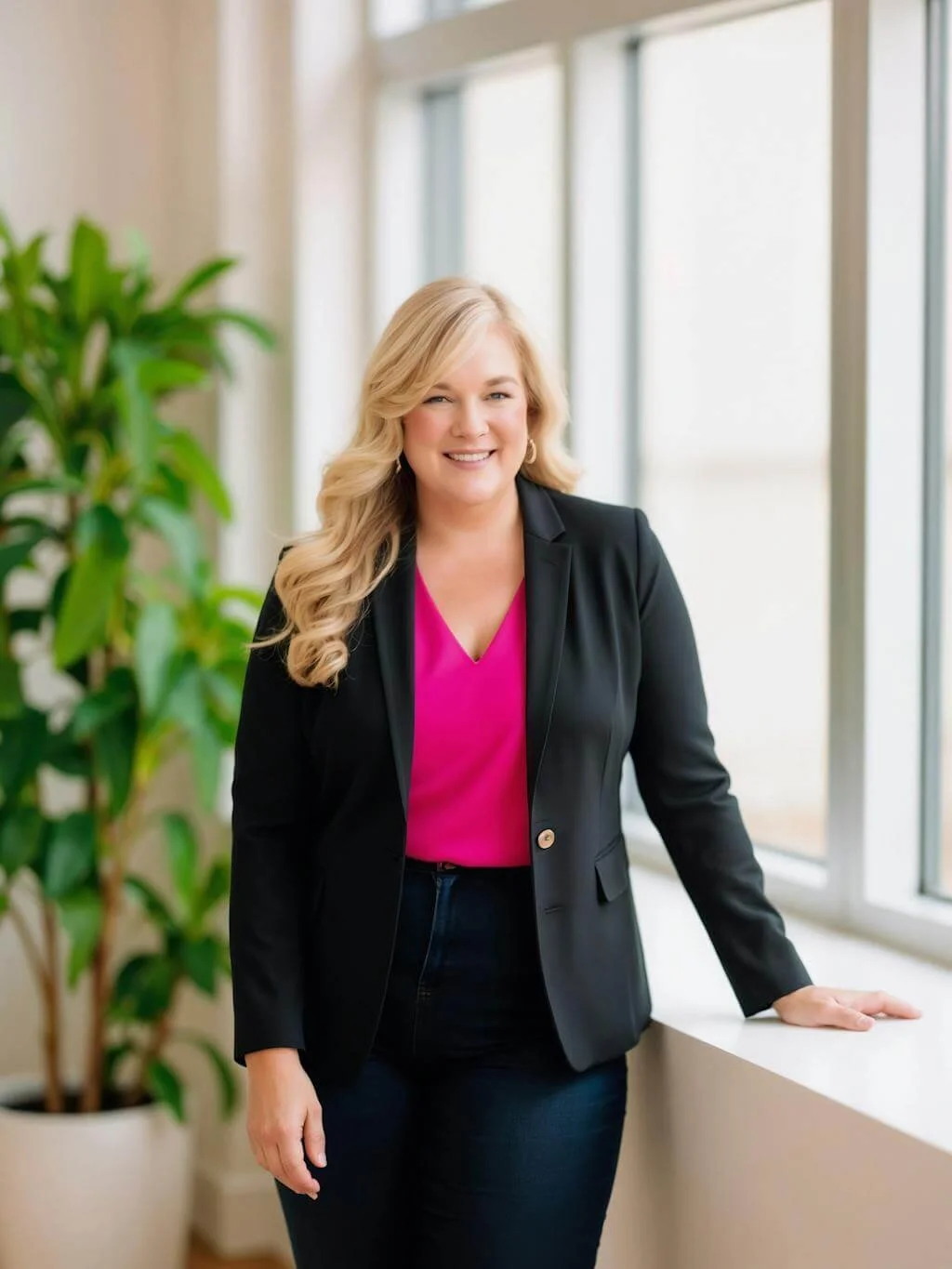
Dr. Destini Copp helps digital product creators build sustainable, systems-based businesses through the Creator Growth Flywheel framework. She's the founder of Creator's MBA and HobbyScool, and has been teaching online business strategy for over a decade. Learn more →
Pin this and save for later